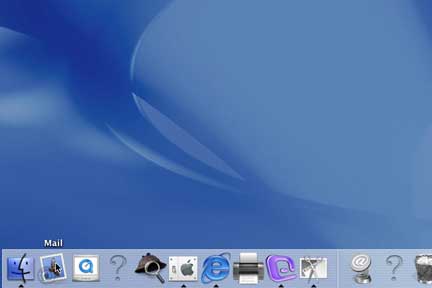
Down at the bottom in the "Dock" you will find an icon that has a bird and a stamp on it. This is the Default Mail Program installed on OS X. Click it one time and it will open up.
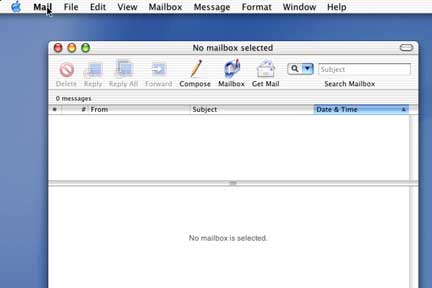
Up in the top of the screen "next to the Apple" click on Mail one time. It will give you a drop down menu.
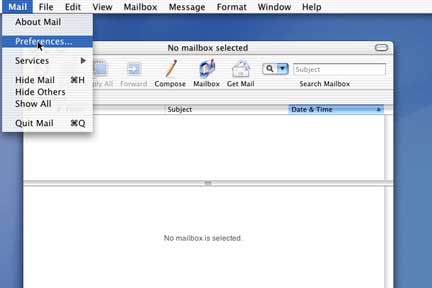
Chose Preferences and click it one time. This will bring up a box that allows you to enter the configuration information.
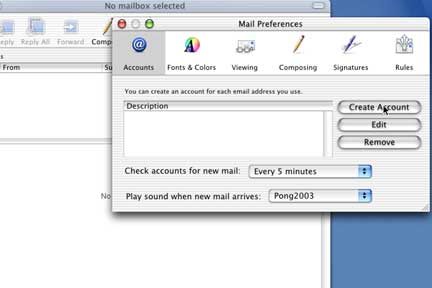
Click on Create Account.
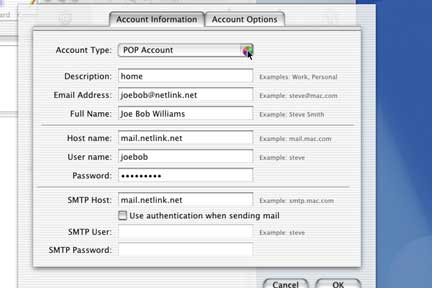
It will bring up a window with all the necessary information. Description can be whatever you want to call this account. Email address is the email address we gave you @netlink.net or @nls.net. Full name can be anything you want it to be. Host name is mail.netlink.net. Username is the first part of your email address (left of the @). Your password should be all lowercase.
SMTP host is mail.netlink.net, also check the use authentication when sending mail option and enter your username and password again.
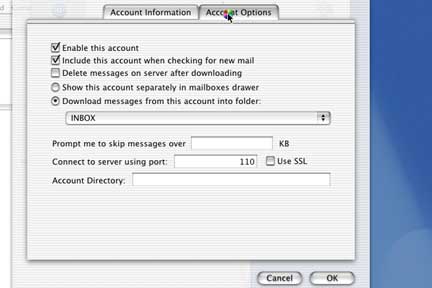
This is the Account options Screen check Delete messages on server after downloading.
Thats it Just hit OK and it is set up.